
Chargeback Management Workflow archive
Step-by-Step Instructions:
1. To see the disputes:
➤ Log in to your Merchant Portal
➤ Click on “Disputes” in the top menu. ➤ You’ll land on the “Open disputes” view by default.
➤ You’ll see a list of all active disputes, each showing key details such as: Status (e.g., Received), Stage (e.g., Chargeback), Days to Defend, Amount, Currency, Card, Network (Visa/Mastercard), Reason
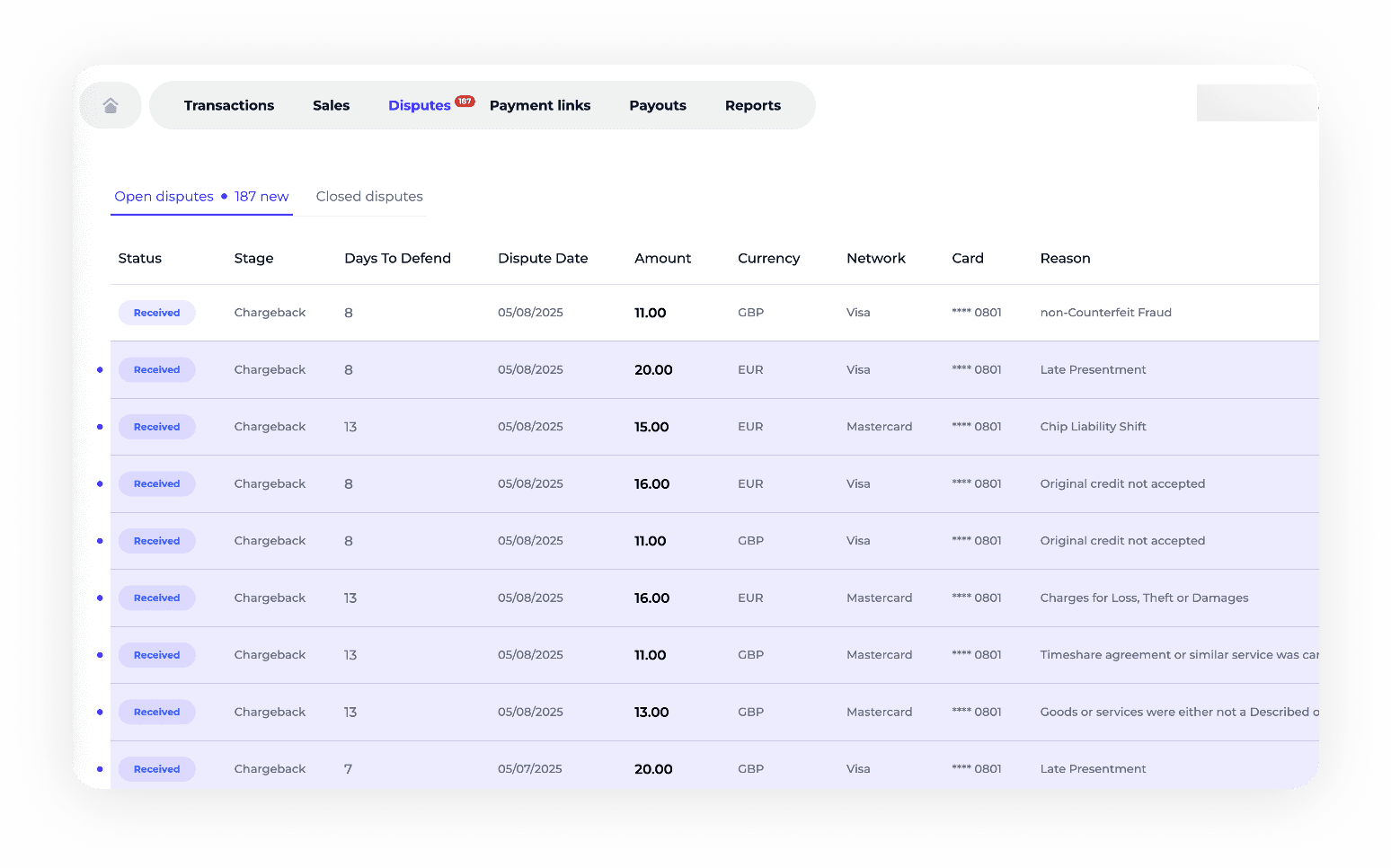
2. Click on any dispute row (highlighted in blue)
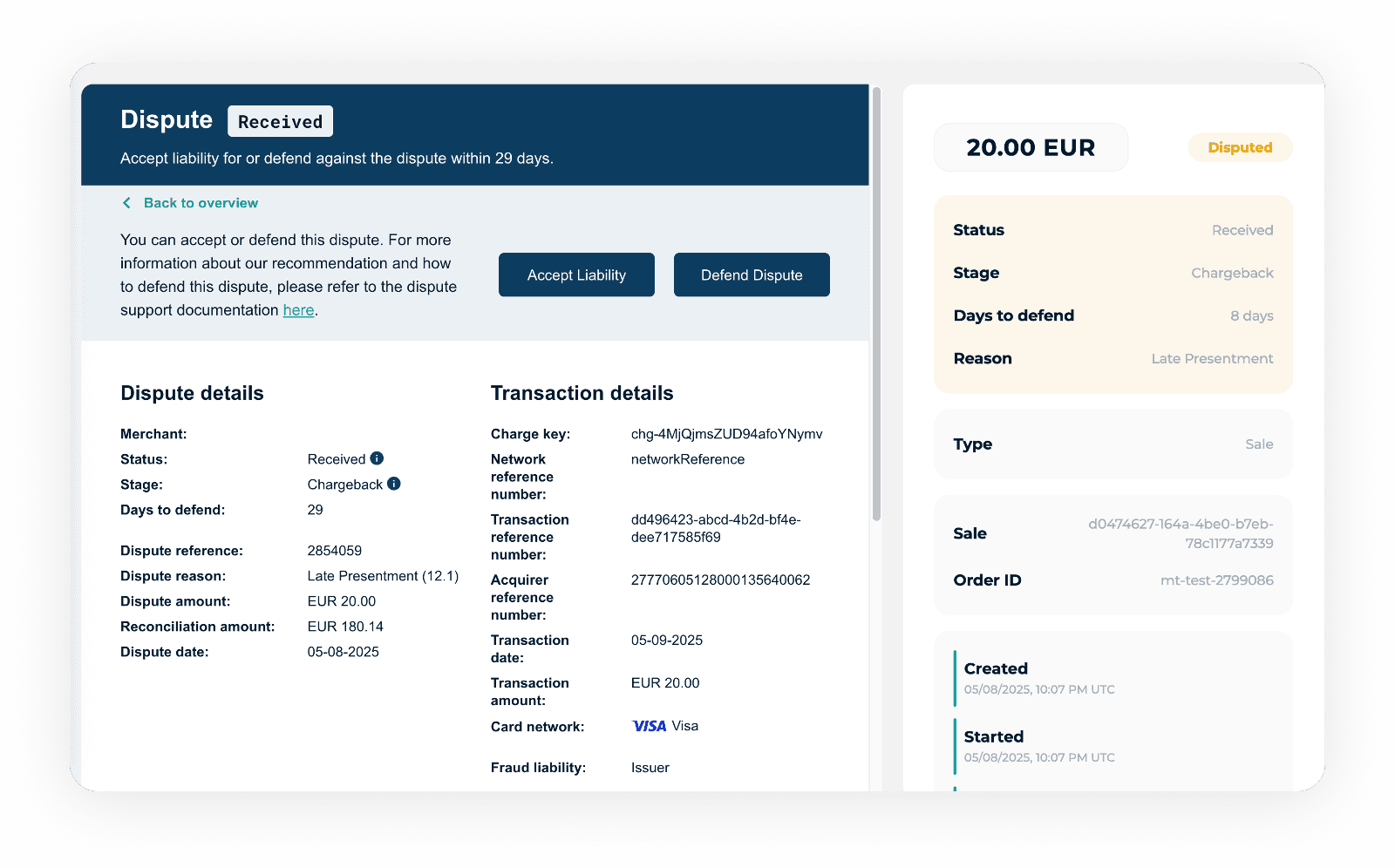
➤ Clicking on a dispute will open a detailed view in a new page.
➤ This page will show complete Dispute Details and Transaction Details.
3. Review the dispute information
➤ Check the dispute reason (e.g., Services not received, Fraud, etc.).
➤ Look at the amount, dispute date, and days remaining to defend (by default it is 14 days from the date of receiving a chargeback).
➤ Review the transaction linked to the dispute for additional context: Transaction date Card network Order ID Sale reference
4. Choose how to respond
At the top of the dispute detail page, you’ll see two main action buttons:
✅ Accept Liability — Choose this if you agree with the dispute and won’t provide defense evidence.
❌ Defend Dispute — Choose this if you want to provide supporting documents to challenge the dispute.
Tip: Always review the dispute reason and check your documentation (e.g., receipts, customer communication, delivery proof) before deciding.
5. Follow the prompts to submit your decision
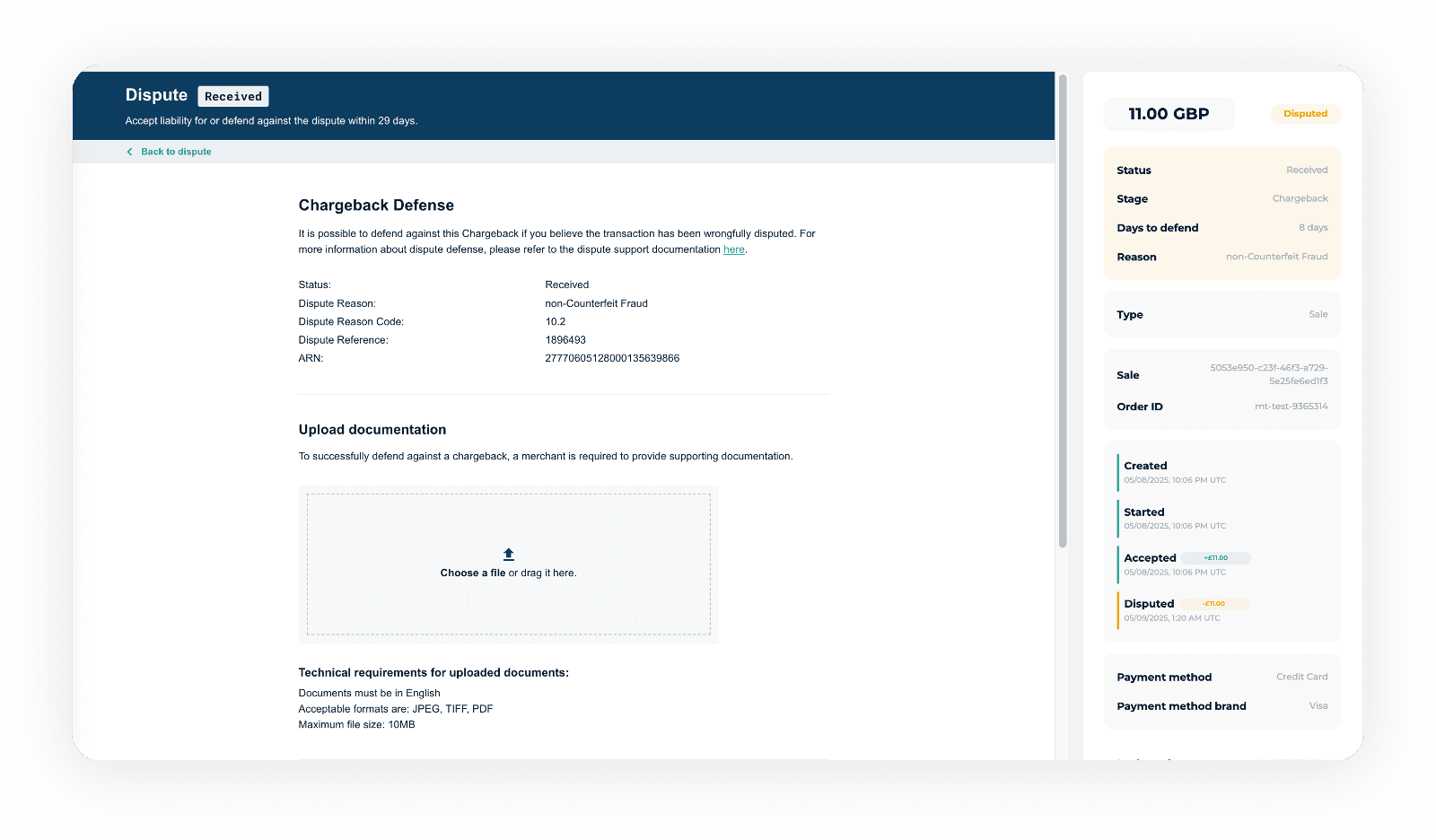
➤ If you choose “Defend Dispute”, upload the required evidence as instructed.
➤ For VISA disputes please select the reason “Not listed” from the response reason drop down.
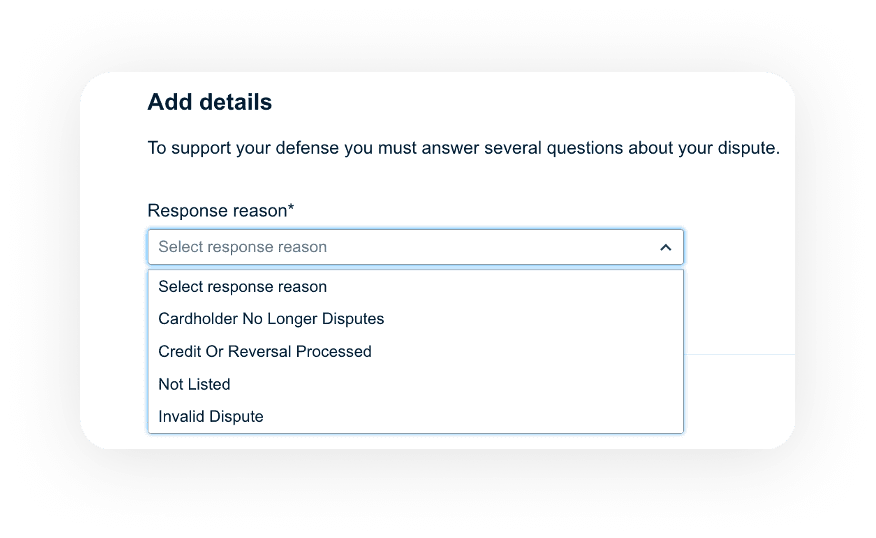
➤ For Mastercard chargebacks please select “2700 — See Corresponding Documentation/Chargeback Remedied”.
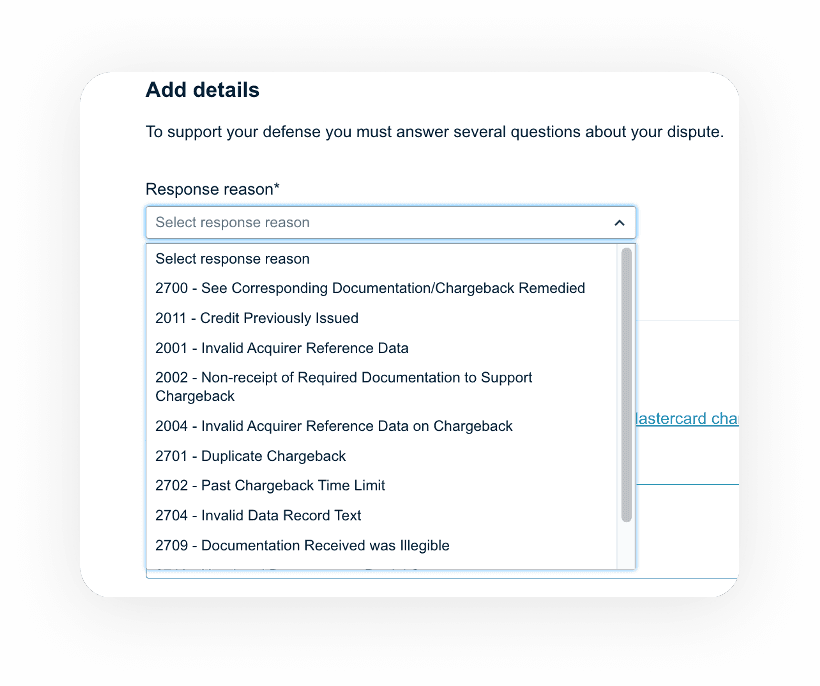
➤ For duplicate chargeback, please select “2701 — Duplicate Chargeback”.
➤ Please add short comments and submit your evidence. For example: “Services were fully provided”.
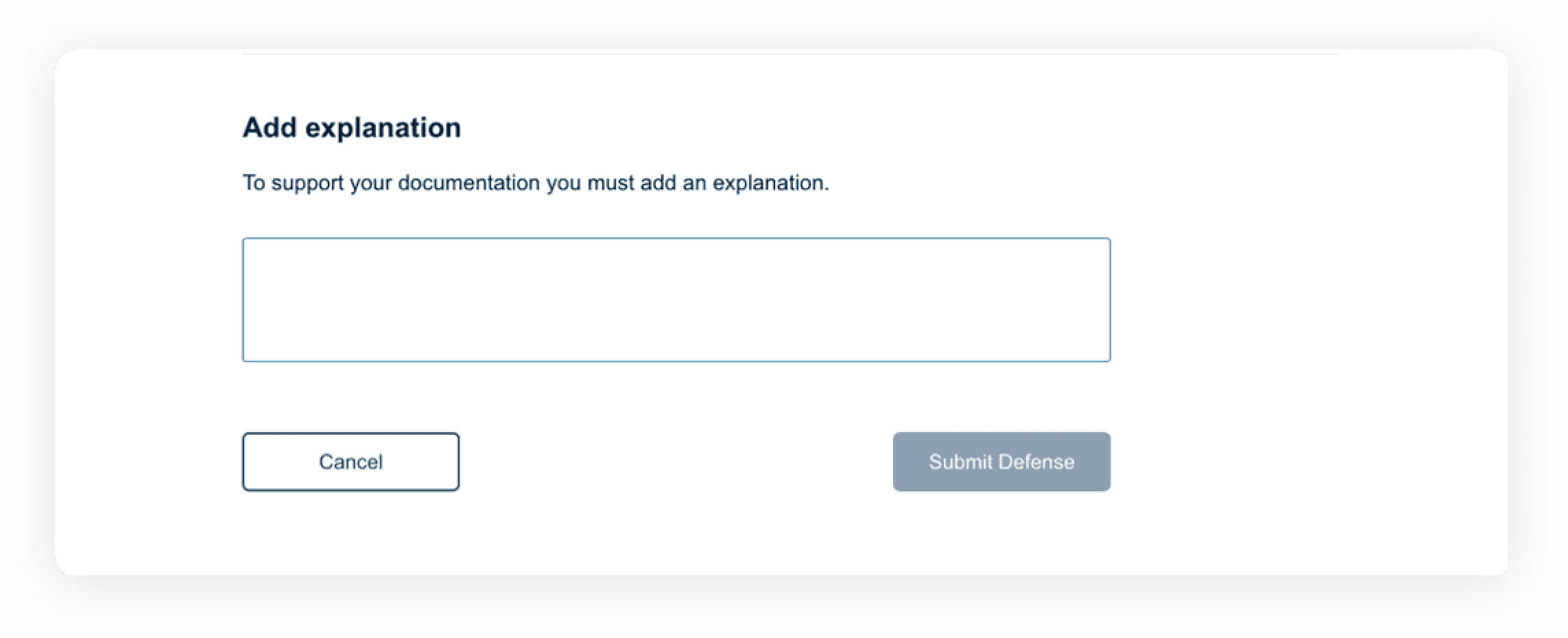
➤ You will see the pop-up window with a confirmation.
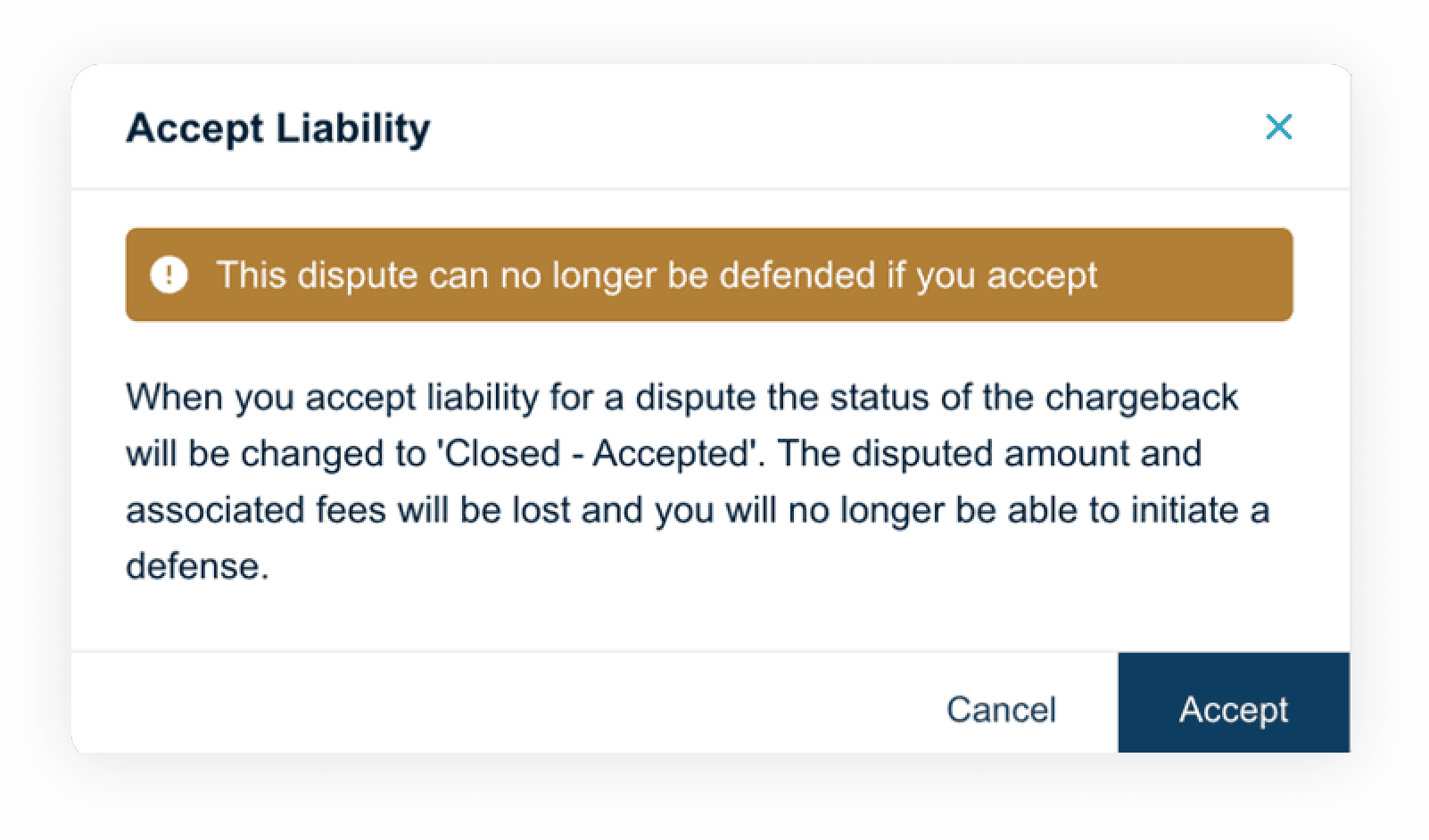
➤ If you choose “Accept Liability”, the case will be closed, and the amount will not be recovered.
Important Notes:
➤ You must act within the listed “Days to Defend”. If the deadline passes, the case will automatically close in favor of the cardholder.
➤ If you received a chargeback but transaction was already refunded, please let us know and we will dispute it on your behalf. (Sometimes issuer could raise a chargeback despite that it was already refunded).
The chargeback statuses you can see in the profile: Received — new chargeback received. Your account debited. Closed Accepted — when chargeback was accepted by you. Closed Won — when chargeback was successfully disputed. Your account credited when you submitted documents to defend the case. Awaiting Response — waiting response from the issuer for the chargeback that was disputed. Reversed — chargeback was reversed by the issuer.